

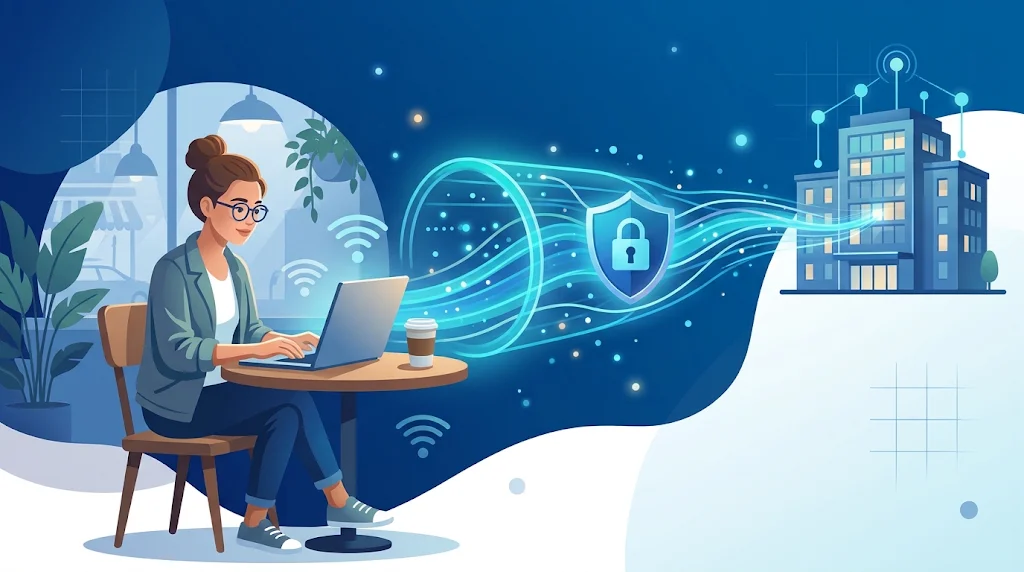
Remote work lets employees stay connected to company systems from wherever they are. Most of them work on laptops over home networks, hotel internet or public Wi-Fi. That flexibility brings greater security risk, especially when the work involves sensitive documents, customer details and private company communications.
A Virtual Private Network (VPN) is one of the tools that addresses this. A VPN encrypts the data travelling from the user's device to the VPN server, which makes it hard for other people on the same network to see it. No VPN makes anyone 100% safe from online threats, but a VPN for remote work is an important part of a privacy and remote work security plan.
Getting Started with VPNs
A VPN creates a secure connection between a user's computer and a VPN server. Once it is established, the user's internet traffic travels through that protected connection, known as a tunnel, on the way to its destination.
When someone connects to a website without a VPN, the site can usually see their public IP address, the unique number assigned by their internet service provider. With a VPN, the site generally sees only the IP address of the VPN server. Masking the real IP address limits what the website can learn about the visitor.
Encryption also keeps data from being read by others who may be watching an insecure local network. This is the part of VPN security that matters most to employees working outside the office.
A VPN does not guarantee full protection. It will not stop phishing attacks, remove malware or make a malicious website safe. A site can still identify a user through their login, cookies, browser fingerprint and other forms of tracking. Knowing these limits helps businesses treat a VPN as one component of a real security strategy.
Why Remote Workers Need Better Online Privacy
Remote workers often use networks the company does not control. A home router may be out of date, and a café or airport hotspot is shared with many strangers.
These settings give attackers the chance to exploit poorly configured networks, lure employees to fraudulent sites through phishing or try to eavesdrop on unprotected traffic.
HTTPS encryption is now close to standard and protects most data exchanged with web servers. A well-chosen, trustworthy VPN adds another layer by encrypting the traffic between the device and the VPN server, which keeps it away from anyone watching the local network.
Companies should also review and update their remote cybersecurity practices so that employees follow the same security habits wherever they work. Strong passwords, regular device updates, device access policies and multi-factor authentication remain essential even with a VPN in use.
Protecting Sensitive Information on Public Wi-Fi
The safest alternative to public Wi-Fi is a personal mobile hotspot. Only the worker's own trusted phone is involved, and the chance of a man-in-the-middle attack between a public network and the work device is minimal.
Attackers sometimes set up fake hotspots with legitimate-sounding names. People who connect can be monitored, phished or targeted with other attacks. A VPN protects the traffic it encrypts, but it cannot make a fake hotspot safe.
Employees should confirm with venue staff which network is the real one, avoid unexpected login pages and switch to a mobile connection when no reliable network is available. File sharing should be turned off on public networks, and unrecognized files should not be downloaded.
A VPN is an additional layer, not a licence to use networks carelessly. Public Wi-Fi security improves most when encrypted connections are combined with careful online behaviour and regularly updated devices.
How to Choose a VPN for Work and Personal Use
VPN products differ in features, data protection practices and technical depth. Regular users may care most about ease of use and a stable connection. A business VPN buyer may focus on account management, technical support and secure access to internal resources.
When comparing services, look first at the logging policy, the encryption protocols, connection stability, device support and independent security audits. Companies should also check that the service meets their compliance requirements and gives administrators the tools to manage access properly.
For readers who want to learn more about privacy tools and the technology behind a Virtual Private Network, the VPNpro team publishes information on these products along with tips for protecting privacy online. Independent reports and reviews make it easier to see how providers differ before committing.
Price alone should not decide the choice. A simple package may be fair value for someone who only browses the web. A company with sensitive information needs the right security features, visibility into how the provider's security measures are carried out and strong administrative controls.
Understanding IP Addresses and Network Privacy
An IP address is how data is sent and received between devices and online services. A public IP address identifies a connection on the internet and can reveal an approximate location or the internet service provider. Private IP addresses are used for communication inside local networks, such as a home or an office.
A VPN masks the user's public IP address from the websites they visit. It does not hide the local network. Routers, connected devices and network settings still shape how devices communicate online.
Understanding private IP addresses helps remote workers tell local network addressing apart from the public IP address that online services see. This is useful for troubleshooting and for accessing company systems that are restricted by network.
Hiding an IP address does not make a user anonymous. Sites can also track users through browser settings, account activity and other unique identifiers.
VPNs vs. Other Cybersecurity Tools
A firewall filters network traffic and blocks unauthorized access. A VPN sends a user's connection through an encrypted tunnel and hides their public IP address. The two solve different problems: the firewall guards the device or network against unwanted connections, and the VPN protects data in transit.
Each tool works best for its defined purpose. Neither a firewall nor a VPN will remove malware from an infected device, and neither will stop a convincing phishing email from stealing credentials.
For remote teams, a combination of measures works better than any single one. A company can pair VPN access with multi-factor authentication, device encryption, automatic updates, endpoint protection and secure backups as part of its overall security plan.
Access should also match each employee's duties. A staff member who needs one application should not automatically get access to every company service. Limiting permissions reduces the damage if an account or device is compromised.
Common Issues with Using a VPN
Is a VPN safe? It adds privacy and security, but it is not a complete answer to cybersecurity. All traffic passes through the provider, so users need to pay attention to its privacy policy, its security standards and how trustworthy it is.
Connection speed can drop because traffic takes an extra hop. Server distance, network congestion, encryption overhead and the user's own internet plan all play a part.
Some content sites and business platforms block VPN traffic or ask for extra verification when a login comes from an unfamiliar location. Employees should know how to handle these situations without breaking the company's security policies.
Companies should test the selected VPN and its configuration before rolling it out to everyone. They should verify that essential applications still work, that users know what happens if the VPN disconnects, and that there is a plan for connection or security problems that are reported.
Crafting a Security Strategy for Remote Working
Securing a remote setup takes more than installing a VPN. Employers need to tell staff when using the company VPN is mandatory, which devices are approved for work and what to do when something looks suspicious.
Business email accounts should be protected with at least two authentication factors. Employees should use strong, unique passwords, install updates for operating systems, apps and devices, and never share work logins. Companies also need reliable backups and a clear procedure for reporting lost devices or compromised accounts.
Short workshops or training sessions help employees recognize scam emails, fake sign-in pages and requests for sensitive information. These address risks that a VPN alone cannot block.
Finally, companies should review their security measures regularly. Changes in teams, software, work locations or business goals can introduce new risks. Regular checks confirm that existing tools and procedures still fit the situation.
Conclusion
A VPN offers clear benefits: it shields privacy and makes working away from the office safer. It encrypts internet traffic and hides the user's real public IP address from the sites they visit.
It is still only one part of the picture. Strong security rests on many elements: a carefully chosen provider, up-to-date devices, multi-factor authentication and restricted access to important systems.
A business that combines VPNs with sound security practices and employee education can offer remote and office flexibility without trading away privacy or security.